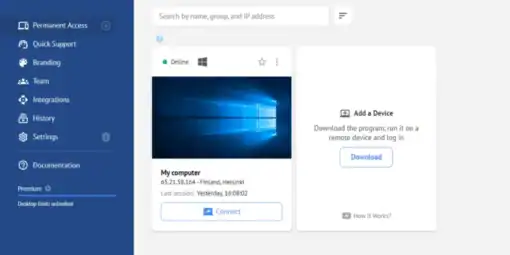
Today I setup Getscreen.me on a mac Neo and then controlled it on a Linux fedora system using Brave browser. It worked great.
Why am I sharing? No I am not getting any financial compensation. Mostly I am sharing because I bought a lifetime subscription, and even though I hadn’t used the program for a few years, when I logged in it worked perfectly. It was great and it did the job great.
For a lifetime subscription I paid $150 and at about $12 a month it is just a little over a year and it paid for itself. What is the downside? At times the screen updates can be slower than I want. However when both machines are connected through Wi-Fi, this is to be expected.
Today when I used photoshop on the mac through Getscreen it was ok experience. Not as fast as the native experience but acceptable. I offered to help my friend optimize it by turning down the colors, but someone who uses photoshop doesn’t want to mess around with reducing the number of colors they see. Ideally they should connect to wired, but since they are in an apartment and can’t do construction, Wi-Fi is acceptable.
I honestly didn’t expect Getscreen to work. I figured they would be like most companies and find a way to weasel out of what they promised. When it did work I was grateful. That’s why I am sharing it here. If you want to save money and need remote access, this is the program I would use.